
Self consumption on another meter than the grid meter
When enabled, the self-consumption strategy will use the selected sub-meter as the reference point instead of the main grid meter. This is useful when self-consumption should be measured at a specific sub-meter in the installation rather than at the grid connection point. Note: the selected meter must be a power meter that is part of the installation. By default this feature is disabled.
Sometimes there are contractual agreements that a part of an installations should not be included in the self-consumption optimization. Imagine the scenario below: This can be a company that has a special contract for his 'sub site' with only solar production, and gets a fixed (high) injection fee for the energy produced by his solar production produced by this sub installation.consumption
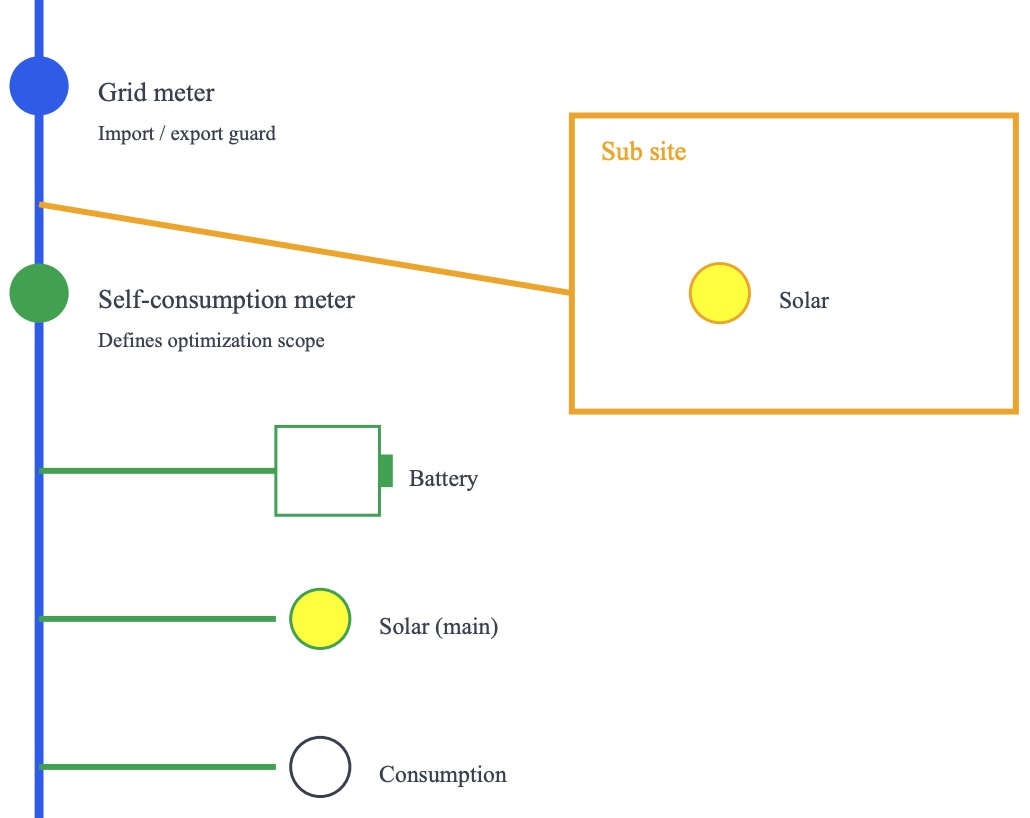
Therefore, we'd like to exclude this part of the installation from the self-consumption control, but still guard or import and export limits on grid connection point.
This can be enabled -if and only if- both a grid meter and a secondary 'self-consumption meter' is installed. Then, follow the steps below:
- On the settings page, scroll down to navigate to the 'advanced settings'.

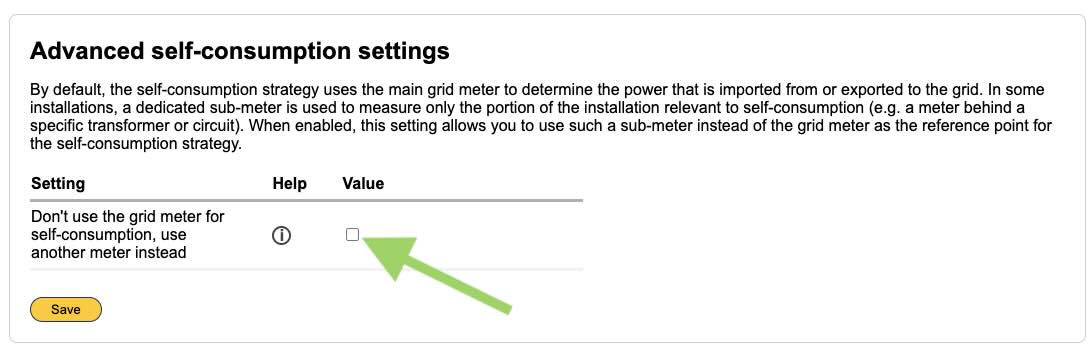
- Enable the feature by checking the box. Note that this only possible when (apart from the grid meter) at least one other meter is installed.
- Select the meter you'd like to use for self-consumption. You can't select the grid meter, because that would beat the whole purpose of this feature.
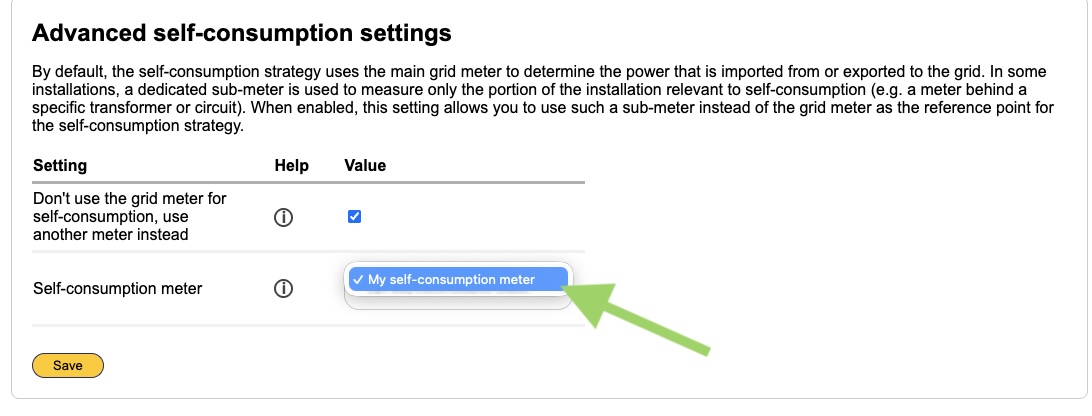
- Click on save.
Note
When the self-consumption meter is removed, re-added, this feature is automatically disabled.