
Learn how to manage, configure, and customize reports in your portal using different templates.
Disclaimer
The mentioned functionalities may be restricted depending on the purchased software license.
Reports Page Guide
SmartgridX's reporting system is designed to generate performance, alarm, and summary documents for installations. Whether for internal analysis or external communication, reports are flexible, customizable, and support automation and email delivery.
Available Report Templates
Three main templates define how data is included and presented:
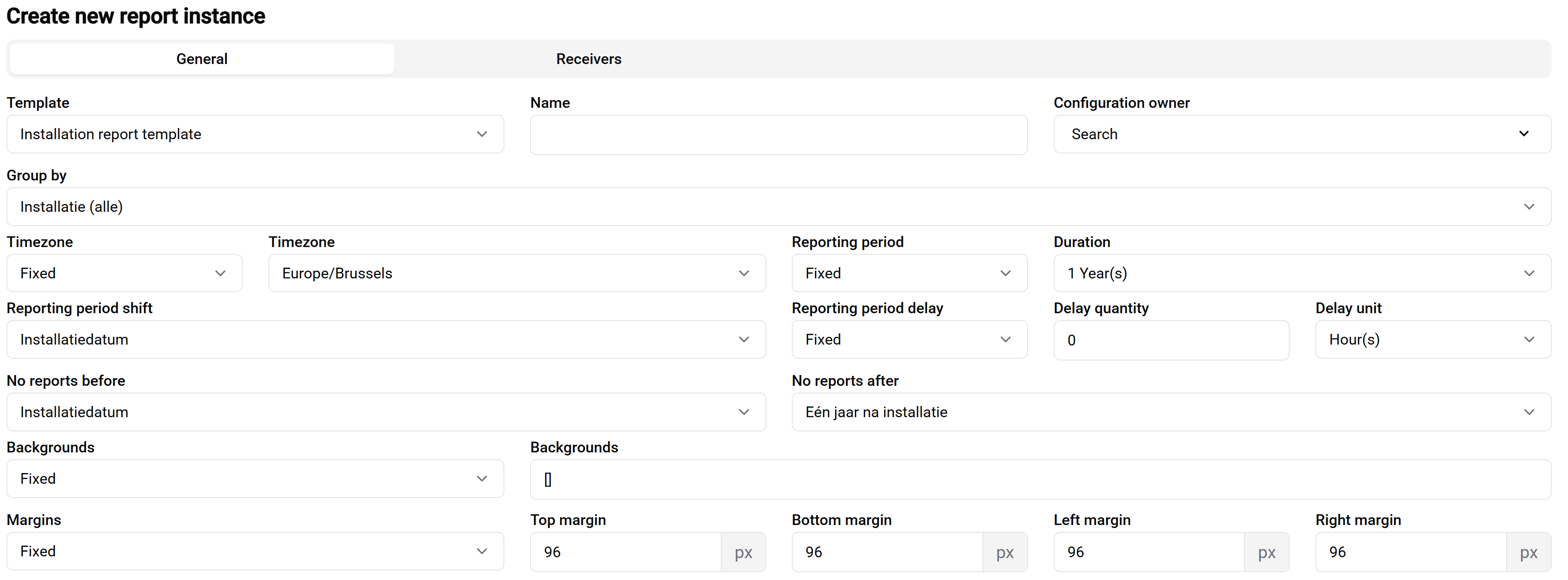
Installation Reports
Two key variants available:
All Installations
- Template:
Installation report template - Group By:
Installatie (alle) - Purpose: Complete technical data for all installations
- Use Case: Internal operations and technical teams
- Features: Detailed metrics and comprehensive installation data
Installations With Contacts
- Template:
Installation report template - Group By:
Installatie (met ontvangers) - Purpose: Filtered view of installations with assigned recipients
- Use Case: External reporting and automated customer communications
- Features: Customer-appropriate metrics and automated delivery
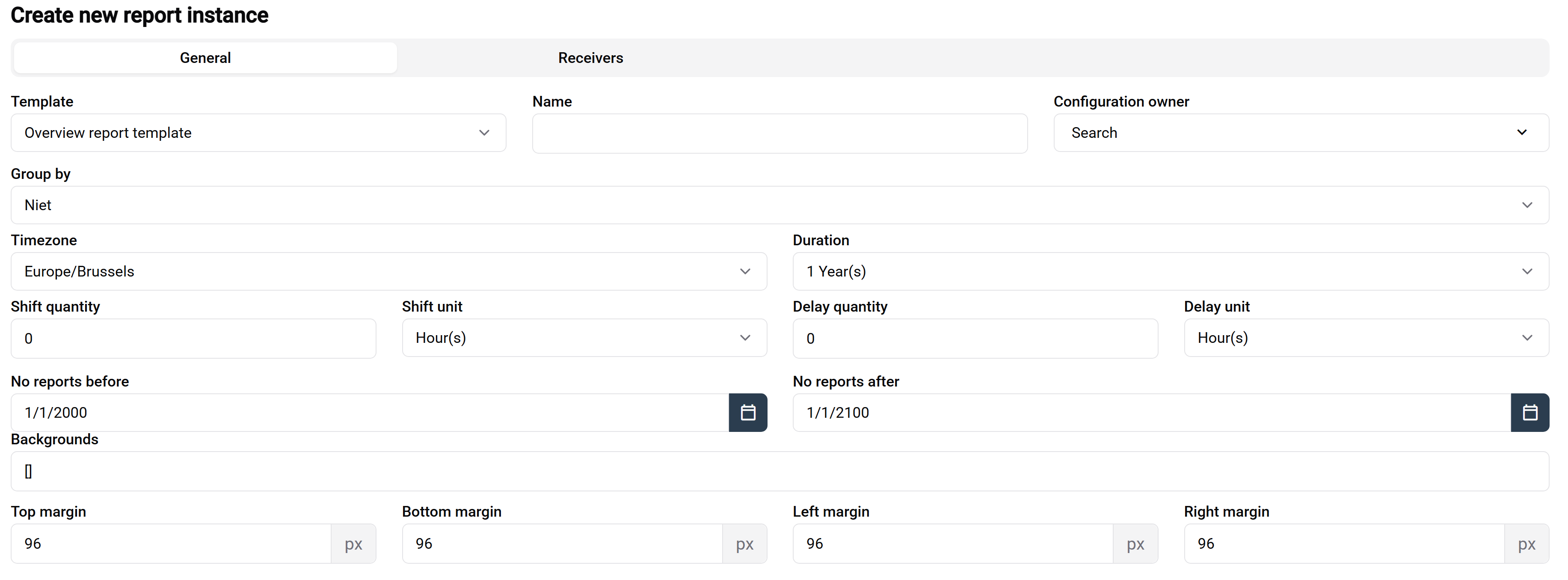
Overview Reports
- Template:
Overview report template - Group By:
Niet(no grouping) - Purpose: High-level summary of all installations
- Use Case: Management and executive reporting
- Features: Trend analysis and total performance metrics
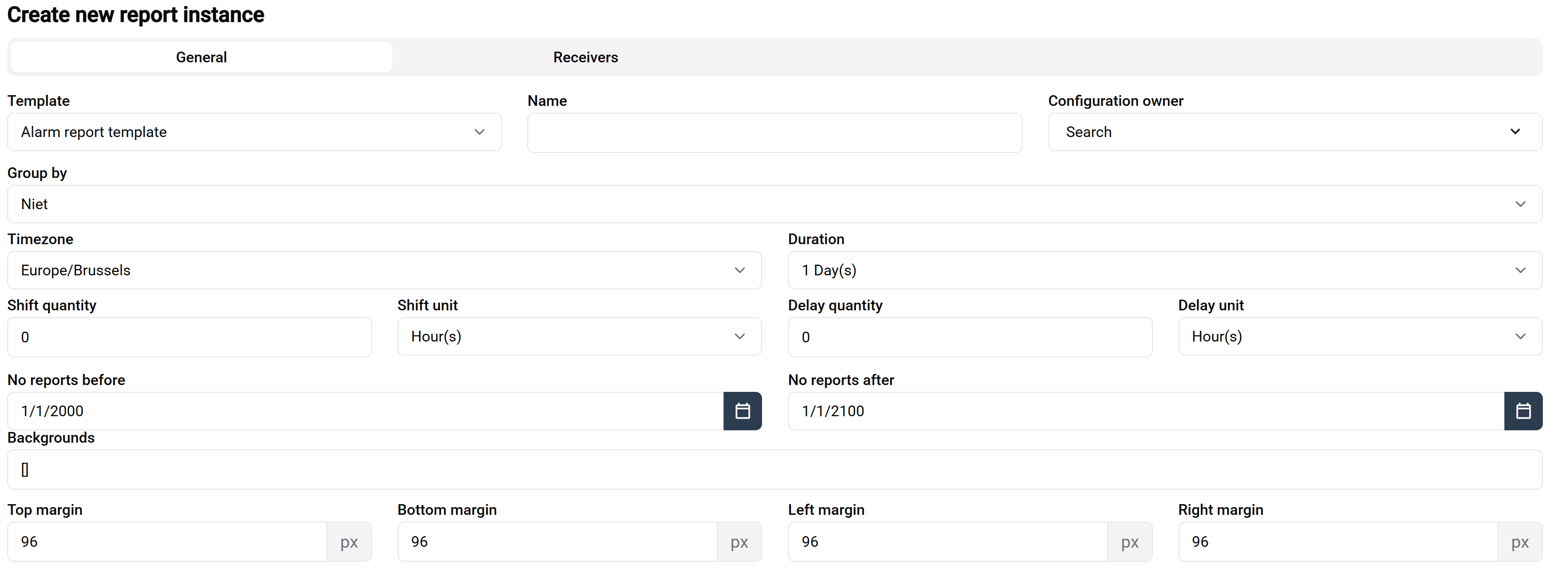
Alarm Reports
- Template:
Alarm report template - Group By options:
Niet: Ungrouped alarm viewInstallatie type: Grouped by installation category
- Purpose: Track operational issues and fault patterns
- Use Case: Maintenance teams and incident response
- Features: Fault tracking and trend analysis
Report Configuration
General Settings
- Template selection and report naming
- Grouping mode configuration
- Period selection:
- Automatic: Based on intervals (1 day, 1 month, 3 months, 1 year)
- Custom: User-defined date ranges
Caution
System Settings
The following settings should only be modified by Eniris support:
- Timezone settings
- Offset configurations
- Layout margins
- Start/End time boundaries
Tip
Best Practice
When setting up a new report, start with one of our predefined templates and modify only the essential settings like name, grouping, and period selection.
Mail Configuration
Note
Using automatic recipients will send reports to contacts configured in installation settings.
- Ensures reports reach the right stakeholders
- Maintains consistency with installation management
- Updates automatically when installation contacts change
Note
Custom recipient configuration allows for:
- Manual email address entry
- Multiple recipient groups
- Ad-hoc report distribution
Access Control
- Contained Entities: Control which installations appear
- Viewer Management: Define who can access reports
- Role-Based Access: Support for multi-tenant environments
Visual Customization
The visual customization panel (accessed via top-right button) provides:
Content Controls
- Toggle visibility of:
- Technical data sections
- Performance charts
- Alarm information
- Maintenance records
- Enable/disable specific graphs
- Add custom annotations or messages
Tip
Customization Best Practices
- Create separate views for technical and business audiences
- Remove sensitive data for external reports
- Add context notes for clarity
- Save common configurations as templates
Use Cases
- Create different versions for technical vs. business audiences
- Prepare customer-facing variants
- Customize automated report outputs
Report Automation
Reports can be:
- Scheduled for recurring generation
- Automatically delivered via email
- Edited
- Downloaded manually when needed
- Previewed before distribution
Summary Table
| Report Type | Template | Group By | Typical Use |
|---|---|---|---|
| Installation (all) | Installation report template | Installatie (alle) | Internal infrastructure insights |
| Installation (with contacts) | Installation report template | Installatie (met ontvangers) | Automated contact-bound reporting |
| Overview | Overview report template | None (Niet) | High-level summary for stakeholders |
| Alarm | Alarm report template | Niet / Installatie type | Operational and alert tracking |
Need help configuring or customizing your reports? Reach out to Support via the sidebar in SmartgridX.