
SmartgridOne logo
SmartgridOne logo
Accessories
AppCertificates
Configuration from A to Z
Control response timeController
Customer Specific
Devices
Boiler
Cloud
Energy Meter
Ev Charging Station
Gas Meter
Heat Pump
New integrations
Plc
Pv Hybrid And Battery Inverters
a-TroniXABB, FIMERADS-TecAforeAlphaESSAlpvoltAmpowrAngileAnklous PV, Hybrid and Battery InvertersAPsystemsAteps Battery
Autarco
BattlinkBeauventC-BatteryCellpowerChisageDanfossDeltaDET Power PV, Hybrid and Battery InvertersDEYEDiehl-AkoDMEGC InvertersDynessDysun EnergyEcosourcenEenovanceElecnovaEnbrilionEnergreenEnerlutionEnjoyPowersEnphaseEP EquipmentESY InvertersEVEFairlandFortona
Foxess
FraxFroniusGoodWeGotionGreener / Alfen
Growatt
HiteHithiumHoymiles
Huawei
Hypontech
Hyxipower
iWellJinkoKacoKehuaKostal
Kstar
LibattionLONGiMarstekMastervoltMidTeQMotomaOctave EnergyOmniPowerPixiiPower-SonicPoweroadPylontechRCT PowerRefurbRegitecRenonRitarSAJSavSchneider SunEzySchucoSCUSessySigenergySinexcel
Sma
Socomec
Sofar
Solaredge
SolarlogSolarMaxSolarwattSolaxSolinteg
Solis
Solplanet
Sungrow
SunsynkSunwaytechSunwoda
Sunwoda
Sus-PowerTeclomanTeploreTesvoltVaconVictronVolstoraWattsNextWeiheng
WHES
XantrexZendure SolarFlowZetaraZeversolar
Switched Loads
Water Meter
External Signals
InstallationLicenseNetworkQuick StartSafety, maintenance and legal noticesSpecificationsStatus LEDs
Toolbox
Troubleshooting
Video tutorialsWiring & connectivity guidelines
DevicesPv Hybrid And Battery Inverters
LONGi logo

LONGi

The SmartgridOne Controller integrates with the LONGi PCS cabinet integrated energy storage system over Modbus TCP. Both single units and multi-unit installations (up to 10 devices) are supported.
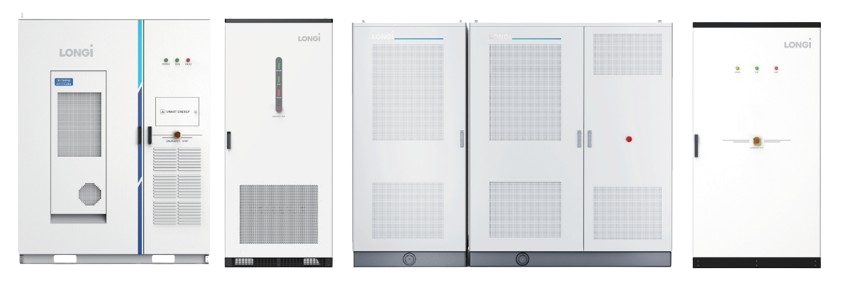
LONGi supported devices

Supported Devices

Device TypeFormModbus TCP
OmniCube-A215Single✅
Multiple (up to 10)
OmniCube-L233Single
Multiple (up to 10)
Hi MO ONE PRO-L261Single
Multiple (up to 10)
PotisCabinet-D9Cabinet

Connection Guide

Modbus TCP

The EMS controller can be connected to the Controller via an RJ45 Ethernet cable, as shown in the diagram below.

Note
Note

Please use the LAN5 port to connect to the Controller.
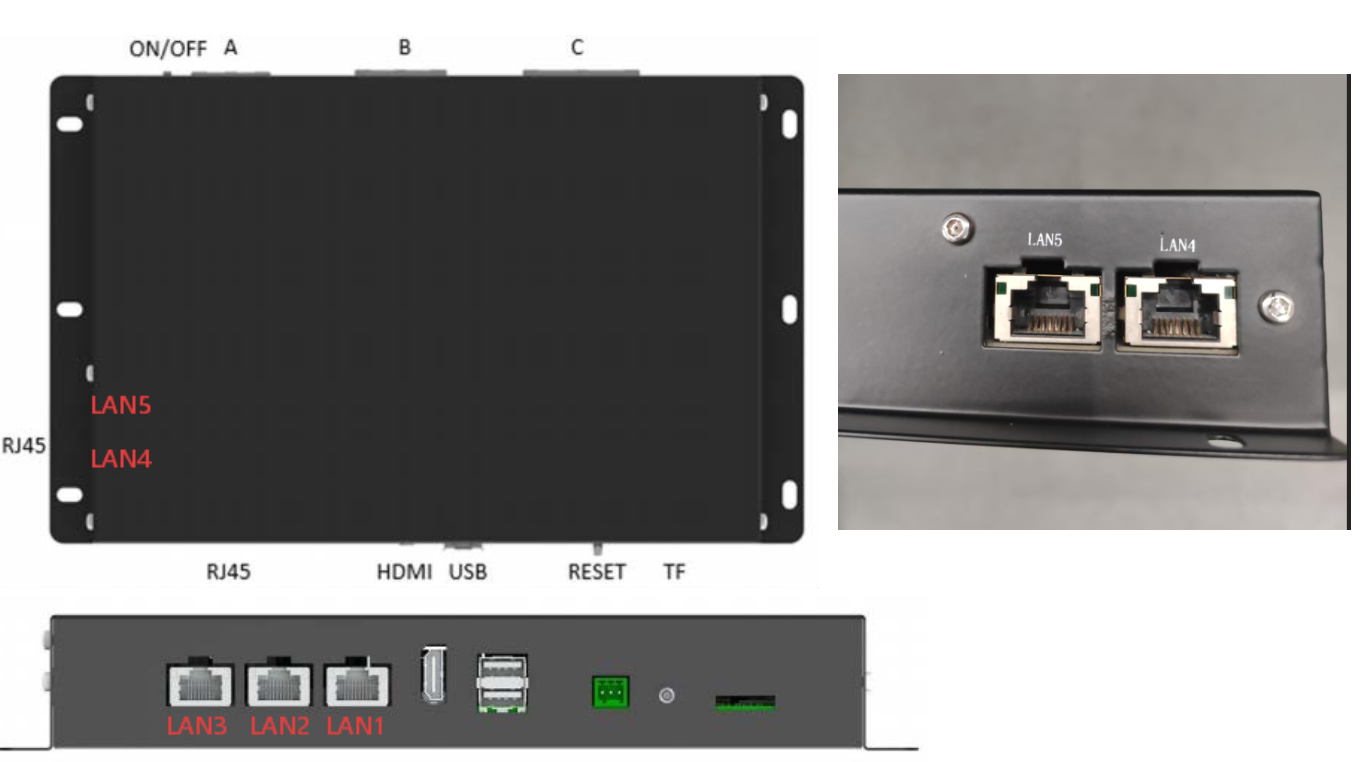
LONGi Modbus TCP connection diagram showing the LAN5 port

For correct ethernet wiring, follow the guidelines for ethernet wiring.

Setup and Query Guide

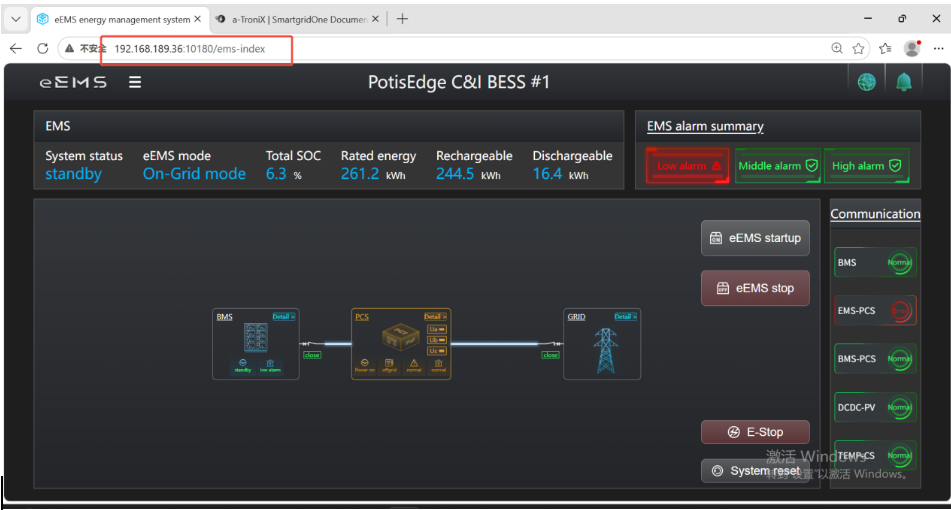
  1. The LAN5 port of a factory-default EMS controller usually has the default IP address 192.168.189.36. Connect a laptop to the LAN5 port with a network cable, then enter the URL http://192.168.189.36:10180 in the browser to access the EMS page.
eEMS energy management system page
  1. Click on eEMS on the left side of the interface to reveal the login button. Enter your username and password to log into the system.
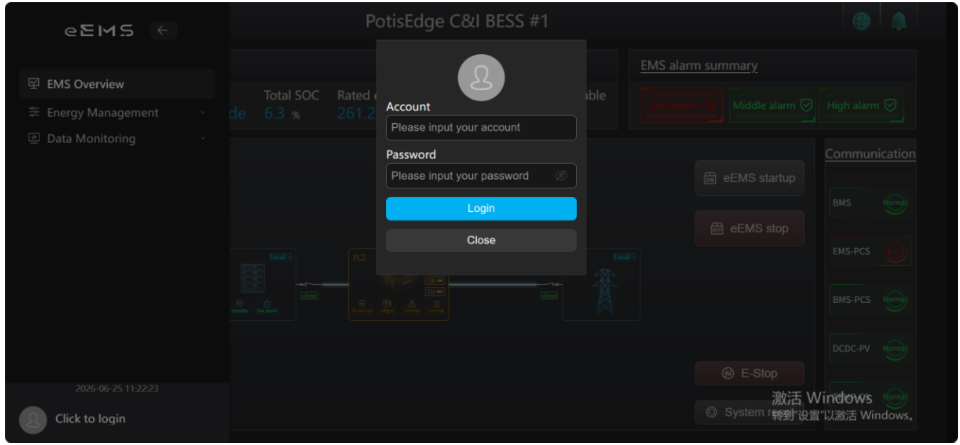
eEMS login dialog
  1. Click on eEMS, go to System Settings, scroll down and click Network Settings. There you can see the IP address corresponding to each network port.
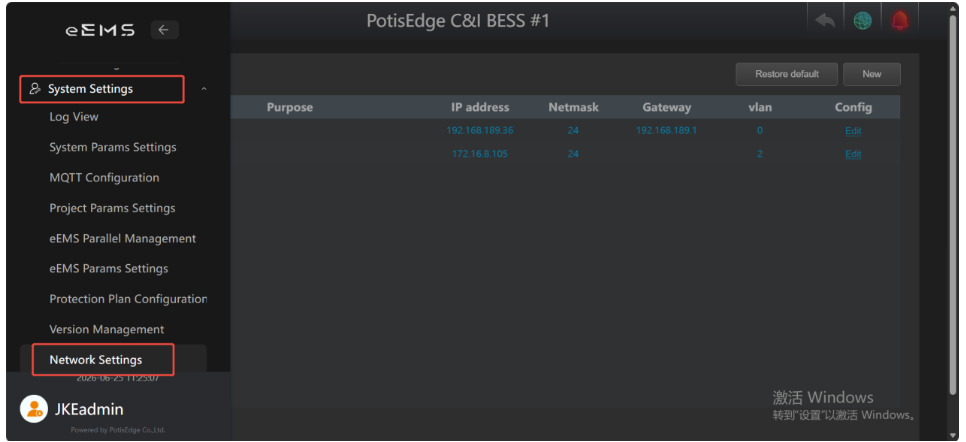
Network Settings showing the IP address for each network port
Last updated July 3, 2026Edit this page

Libattion

Previous Page

Marstek

Next Page

On this page

LONGiSupported DevicesConnection GuideModbus TCPSetup and Query Guide